Why Holiday Shopping Attracts Scammers
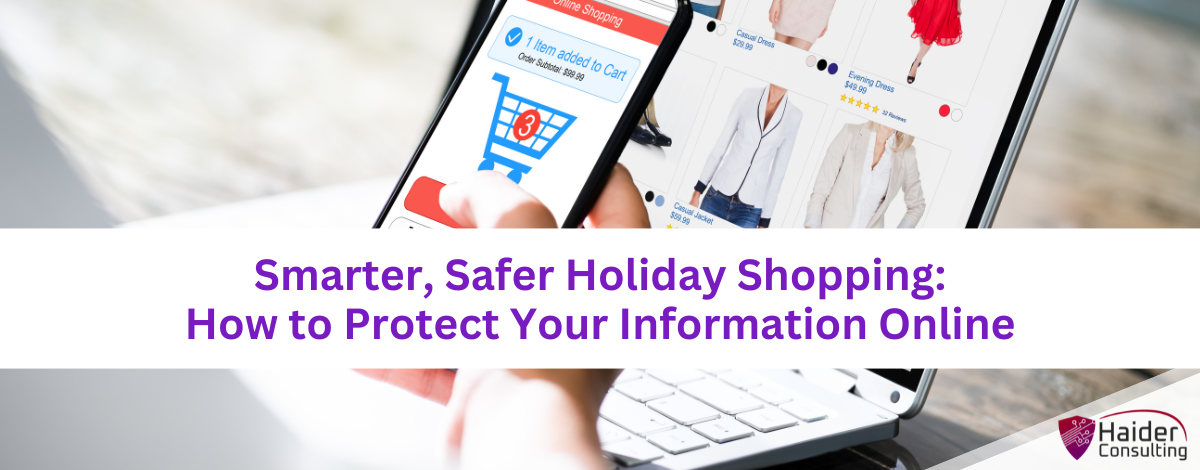
Every year, millions of people shop online during the holidays for convenience and great deals. Unfortunately, cybercriminals know it too — and they use the season’s chaos to their advantage.
The Federal Trade Commission (FTC) warns that fake shopping websites, phishing emails, and bogus “limited-time” offers skyrocket in December. These scams are designed to steal credit card numbers, logins, or personal information.
But you can still enjoy stress-free online shopping — if you use the right tools and habits. Two of the simplest and most effective are password managers and virtual cards. Together, they can help protect your identity and finances while keeping your holiday shopping fast and easy.
Why Password Managers and Virtual Cards Are Game-Changers
Online shopping has made life easier, but it’s also made personal data more vulnerable. Hackers don’t need to “break in” anymore — they just wait for someone to reuse an old password or type card details into a fake site.
That’s where password managers and virtual cards come in:
- Password managers create, store, and fill in strong, unique passwords for every site — so you don’t have to remember dozens of logins.
- Virtual cards act as disposable payment cards that hide your real credit or debit card number from online retailers.
If a hacker steals one password or compromises a store’s database, these tools make sure the damage stops there.
According to the Cybersecurity and Infrastructure Security Agency (CISA), using password managers is one of the best ways to reduce password reuse and prevent data theft. And with virtual cards, your real card details never leave the bank — which dramatically cuts down the risk of fraud.
How to Use Password Managers Safely and Effectively
Password managers are simple, but using them correctly is what makes them powerful.
1. Choose a Reputable Provider
Stick with well-known, trusted services like Keeper, Bitwarden, or LastPass. Always download from official websites or app stores — fake versions are a common scam tactic.
2. Create a Strong Master Password
Your master password unlocks every other password, so make it nearly impossible to guess. Use a mix of uppercase and lowercase letters, numbers, and symbols. Avoid personal details like birthdays or pet names.
3. Turn On Two-Factor Authentication (2FA)
This adds an extra verification step, like entering a code sent to your phone or using an authentication app. Even if a hacker steals your password, they can’t log in without that code.
4. Use Unique Passwords for Every Account
Never reuse passwords. A password manager can automatically generate strong, random passwords for each website and remember them for you.
This not only improves your security but also saves time — no more “forgot password” loops during checkout.
How Virtual Cards Keep Your Money Safer
Think of a virtual card as a digital mask for your credit card. It uses a temporary number that links back to your real account — but merchants never see your actual card information.
So even if the store’s system gets hacked, your real card stays safe.
1. Generate a Virtual Card for Each Store
Most banks and payment apps (like Capital One, Citi, or Revolut) offer virtual cards. Use a new one for each retailer so a breach at one store doesn’t affect your other transactions.
2. Set Spending Limits and Expiration Dates
Many virtual cards expire after one purchase or within a few days. This protects you from unauthorized charges and helps you manage your holiday budget.
3. Keep an Eye on Transactions
Just like physical cards, check your statements regularly. Look for any unexpected charges — even small ones. Scammers often “test” stolen cards with tiny purchases first.
Online Shopping Safety Tips
Even with good tools, awareness is key. Keep these habits in mind every time you shop online:
✅ Shop Only on Secure Websites
Only buy from retailers you trust. The web address should start with https:// (the “s” stands for secure) and show a padlock icon in your browser bar. Avoid deals shared through random links or ads — they’re often phishing traps.
🚫 Don’t Use Public Wi-Fi
Public networks in coffee shops or airports are easy for hackers to monitor. Instead, shop using your phone’s mobile data or a private, password-protected Wi-Fi connection.
🔔 Pay Attention to Alerts
If your bank or card provider notifies you of suspicious activity, don’t ignore it. Log in directly (not through the email link), change your password, and review recent transactions.
💳 Don’t Save Card Info in Your Browser
It might be convenient, but if your computer or browser is hacked, those saved details are easy to steal. Stick to virtual cards instead, and only store private data in password managers.
Common Holiday Shopping Mistakes to Avoid
Even tech-savvy shoppers make mistakes under the holiday rush. Watch out for these common slip-ups:
- Reusing old passwords — if one gets compromised, others are instantly at risk.
- Clicking email links to “too good to be true” deals — they’re often fake sites designed to steal logins.
- Forgetting to log out of shared devices — especially when traveling or using work computers.
A few extra seconds of caution can prevent days or weeks of financial cleanup later.
Shop Smart, Shop Secure, and Enjoy the Season
The holidays should be about celebrating — not recovering from a data breach. Using tools like password managers and virtual cards gives you an easy, affordable way to keep your finances and identity secure.
With these habits in place, you can focus on the fun parts of the season, knowing your information is protected from cybercriminals.
If you’d like help improving your cybersecurity setup before the holiday rush, Haider Consulting can help. We’ll review your systems, recommend simple tools, and show you how to reduce your business’ risks.
👉 Schedule your FREE Discovery Call today
Book My 17-Minute Call